An interface is available for the export of article, contact and project data records for further use in web applications, which is configured once in the program settings and started via a web request.
A separate configuration area is available for each of the 3 possible modules.
A database field is defined for the search via web request. The search string can contain so-called wildcards, "*" or "@" are possible. The exported data records are also sorted according to this field. Double-clicking on the "Search for" field opens the field selection via which the desired field can be selected.
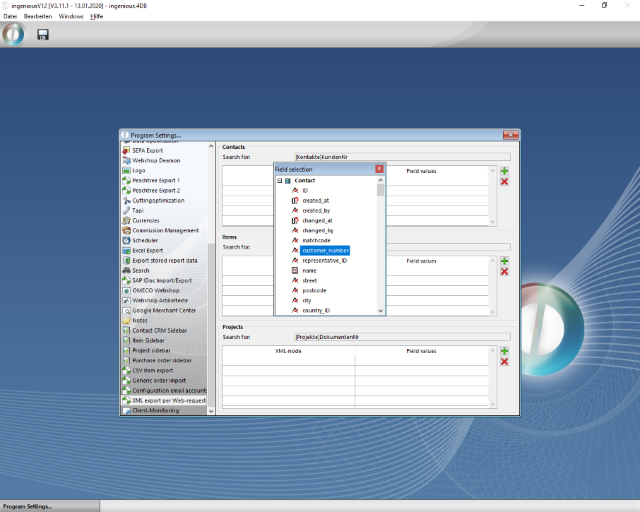
Definition of the search string
The scope and content of the XML output file can be freely defined. The XML nodes can be freely named according to the requirements of the external application and can contain fixed values, database fields, formulas and user fields (via a formula).
| XML node | Output value |
| fix | abc |
| field | [Kontakte]KundenNr |
| formula | [Kontakte]Strasse+", "+[Kontakte]PLZ+" "+[Kontakte]Ort |
| user_field | BF_GetText ([Kontakte]OID;"ContactStatus") |
A new node is created via the  Button. Double-clicking on the line opens an editor with which the name of the node and the data type can be selected. A fixed value can be written directly into the corresponding field. To use a field or formula, double-click on the "Value" field to open another dialog.
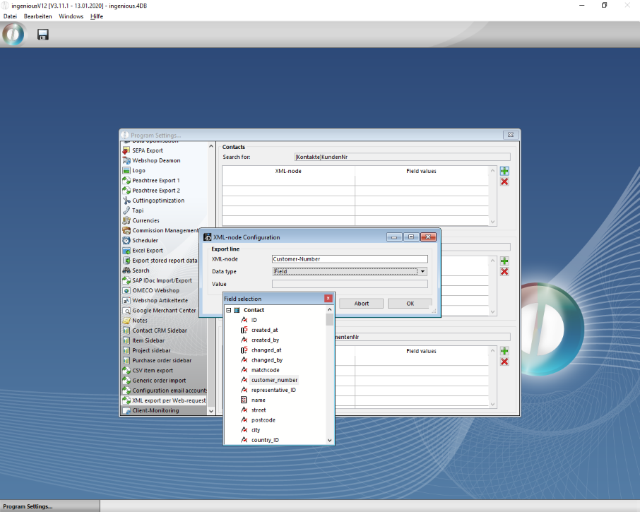
Configuration node for a database field
Single-line formulas are possible within an XML node. More complex formulas must be created using a script and inserted using 'EXEC_Script ({script_name} {; param1 {; param2;…}})'.
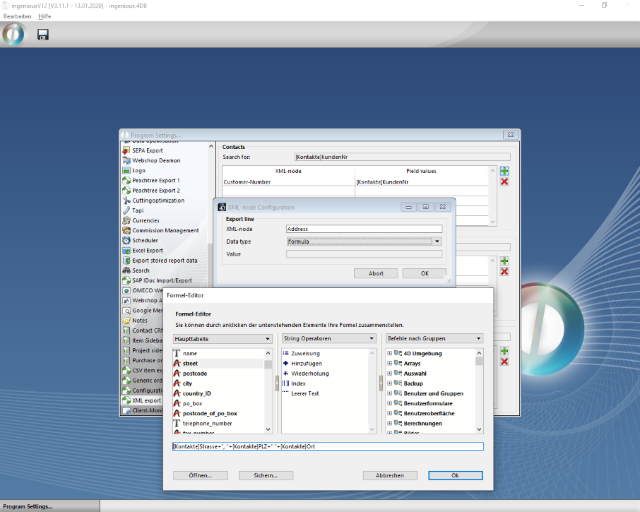
Configuration of an XML node for a formula
User fields are loaded via the API function 'BF_GetText ({record-ID}; {user field name})'.
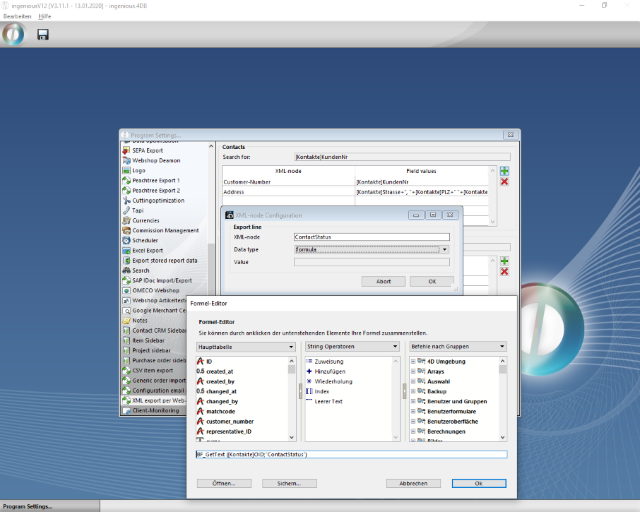
Configuration of an XML node for a user field
To change an XML node, double-click on the corresponding line. An XML node is deleted using the button  ,
,
Web call
The web call is started via the URL {ingenious.V12 webserver}/xml_export&module={module}&select={searchstring}.
{ingenious.V12 webserver} stands for the web address or IP of your own web server.
The module in which the search is to be carried out is entered for {module}.
- KON - for contacts
- ART - for articles
- PRJ - for projects
The search term must be entered for {searchstring}. This can contain the wildcards "*" and "@", which stand for unknown characters in the search term.
The web call generates an XML with the following structure:
| Web call XML |
Copy Code |
|---|---|
<?xml version="1.0" encoding="UTF-8" standalone="no" ?> <xml_export records="{Number of exported data records}"> <record num="{Data record counter}"> <{Generic XML node 1}> {Exported value 1} </{Generic XML node 1}> <{Generic XML node 2}> {Exported value 2} </{Generic XML node 2}> { ... } </record> { ... } | |